PomodoTree —
Pomodoro Timer
Transform your productivity while growing a virtual forest. Pomodoro timer, site blocker, YouTube tools, drawing board, and 40+ features — all in one extension.
 Add to Edge — Free


Key Features
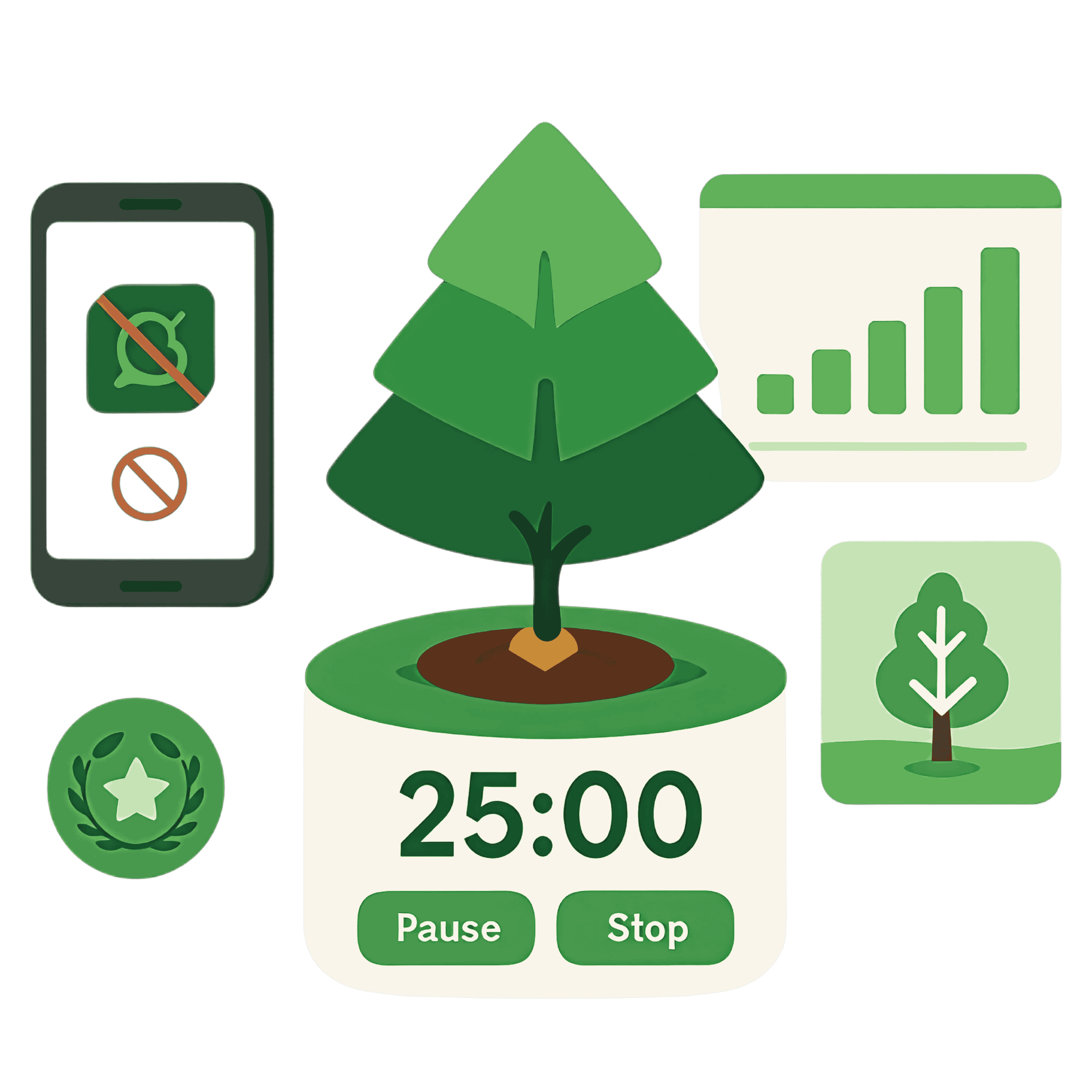
PomodoTree: Ultimate Productivity Suite
A complete ecosystem that blends proven timing techniques, visual growth rewards, and powerful in-app tools for distraction-heavy platforms.
Core Focus System
- Advanced Pomodoro with auto-start breaks & focus
- Visual tree growth from seed to full canopy
- Website and keyword blocking with custom lists
Analytics & Achievements
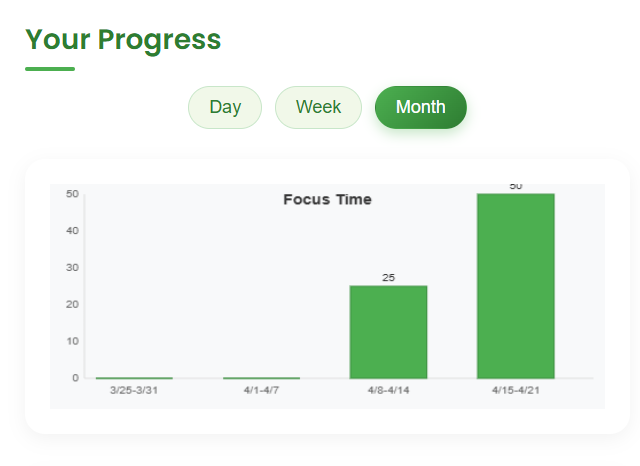
- Daily, weekly, and monthly focus dashboards
- GitHub-style Pomodoro Heatmap visualization
- 15+ rewards for milestones and consistency
Task Management
- Smart todo list with due dates and stats
- Calendar planning with monthly visualization
- Inline edit and completion tracking
Notes & Handwriting
- Text-to-handwriting with Kalam, Indie Flower, Caveat, Atma
- Custom templates and image placement
- Export to PNG, JPG, and PDF
Drawing Board
- Infinite pages with vertical toolbar controls
- Shapes, zoom, undo/redo, and pro color picker
- Export multi-page PDFs in one click
YouTube Productivity
- Strict Mode, hide comments, Shorts, and suggestions
- Picture-in-picture, screenshots, and thumbnail grabber
- Auto-scroll Shorts (refresh page after enabling)
TikTok, Instagram, Facebook
- Strict Mode and auto-scroll for Reels and Shorts
- Dedicated in-app settings overlays
- Refresh once to activate auto-scroll reliably
Web Activity Tracker
- Track time and sessions per site
- Filter by today, week, month, or custom range
- Export reports to CSV
Productivity Toolkit
- Screenshot mode with editor and clipboard tools
- Floating color picker and on-page paint tools
- Email finder and ATS-friendly resume builder
Personalization & Themes
- Forest, Desert, Winter, and Jungle environments
- Spin the Wheel, Completion, and Ambient Sounds
- Nature-inspired visuals across the UI
Global-Ready Experience
- Fully localized UI in 50 languages
- All data stays in your browser and syncs locally
- Built for students, professionals, and creators
How It Works
Follow a simple four-step flow that turns focused time into a growing forest and visible progress.
Set Your Timer
Choose a focus duration that fits your work session (25 minutes is a great default).
Name Your Task
Add a clear, specific task so you always know exactly what you're working on.
Stay Focused
Silence distractions, stay in the zone, and watch your tree grow with every minute.
Earn Achievements
Complete sessions to unlock badges and grow a stronger forest over time.
Pricing
Compare Plans & Benefits
Start with the free plan, then unlock premium tools when you're ready to level up your focus.
| Feature | Free | Premium |
|---|---|---|
| Core Features | ||
| Max Time Blocks | ✓ | ✓ |
| Customize Timer Setting | ✓ | ✓ |
| Forest Growth | ✓ | ✓ |
| My ToDo & Stats | ✓ | ✓ |
| Progress & Achievements | ✗ | ✓ |
| PlanIt (Calendar) | ✗ | ✓ |
| GitHub-Style Pomodoro Heatmap | ✗ | ✓ |
| Spin the Wheel (Subject Selector) | ✓ | ✓ |
| Auto-Start Breaks | ✓ | ✓ |
| Completion Sounds | ✓ | ✓ |
| Ambient Sound (Rain) | ✓ | ✓ |
| Premium Ambient Sounds (Forest, Cafe, etc.) | ✗ | ✓ |
| Blocked Keywords | 2 | ✓ |
| Blocked Websites | 2 | ✓ |
| YouTube In-App — Pro | ||
| YouTube Hide Comments | ✗ | ✓ |
| YouTube Hide Home Suggestions | ✗ | ✓ |
| YouTube Hide Shorts | ✗ | ✓ |
| YouTube Picture-in-Picture | ✗ | ✓ |
| YouTube Auto-Scroll Shorts | ✗ | ✓ |
| YouTube Strict Mode | ✓ | ✓ |
| YouTube Hide Video Suggestions | ✗ | ✓ |
| TikTok In-App — Pro | ||
| TikTok Auto-Scroll | ✗ | ✓ |
| TikTok Strict Mode | ✓ | ✓ |
| Facebook In-App — Pro | ||
| Facebook Auto-Scroll | ✗ | ✓ |
| Facebook Strict Mode | ✓ | ✓ |
| Instagram In-App — Pro | ||
| Instagram Auto-Scroll | ✗ | ✓ |
| Instagram Strict Mode | ✓ | ✓ |
| Web Tools — Pro | ||
| Web Activity Tracker | ✗ | ✓ |
| Whiteboard (Sketch) | ✗ | ✓ |
| Color Picker | ✗ | ✓ |
| Email Finder | ✗ | ✓ |
| Resume Builder | ✗ | ✓ |
| Web Paint Tool | ✗ | ✓ |
| Screenshot — Pro | ||
| Capture Visible Area | ✗ | ✓ |
| Capture Selected Area | ✗ | ✓ |
| Full Page Screenshots | ✗ | ✓ |
| Edit or Save in HD | ✗ | ✓ |
| Data & Support | ||
| Reset All Data | ✗ | ✓ |
| Priority Email Support | ✗ | ✓ |
| Ongoing Updates | ✓ | ✓ |
Monthly Plan
Early bird / limited time pricing. Great if you want flexibility. Cancel anytime from your browser.
Lifetime Access
Limited-time launch price
Pay once, own it forever. Lifetime access to all premium features with ongoing updates — no recurring fees.
Track Your Growth
See how your focus improves over time with achievement badges and detailed productivity statistics.
Achievement Milestones
Unlock badges as you complete focused sessions, stay consistent, and protect your time from distractions.
First Tree
1/1Forest Starter
5/5Focus Master
10/10Time Wizard
0/5Forest Guardian
19/20No Distractions
5/5Focus Statistics Dashboard
Review daily, weekly, and monthly trends so you can spot patterns and fine-tune your focus routine.
FAQ — Frequently Asked Questions
Answers to common questions about PomodoTree, Premium features, and billing.
What happens after I buy Premium?
Your premium access unlocks instantly in your browser. There is no reinstall required and all your existing trees, tasks, and statistics remain intact.
Will I receive future updates?
Yes. You will receive ongoing feature updates, performance improvements, and bug fixes automatically at no additional cost.
Is support included?
Premium includes priority email support. We aim to respond as quickly as possible and usually within one business day.
How can I activate Premium?
Install the extension, upgrade to Premium from this page, then open PomodoTree in your browser. Enter your license code in the settings. Your Premium features will activate automatically.
Can I use it on multiple devices?
Each Premium license key is for one user. You can activate it on your own browsers, but it should not be shared with other people.
Does PomodoTree store my data on servers?
Your focus sessions, tasks, and lists are stored locally in your browser. We do not upload your personal focus data to external servers.
What Our Users Say
Loved by Students & Professionals
Real reviews from the Chrome Web Store — unedited and unfiltered.
An exceptional, well-designed tool that perfectly blends a traditional Pomodoro timer with strict site blocking. Highly recommended for anyone looking to build a distraction-free digital workspace!
 Chrome Web Store
This extension changed my life! I can finally focus on my studies without distractions. I highly recommended to all!
Chrome Web Store
Sleek, lightweight, and incredibly effective — This Focus timer turns time management into an engaging, distraction-free experience.
Chrome Web Store
Forest Focus has been really good so far for me and I have had track of all my sessions… have been able to stay productive with their timers as a student.
Chrome Web Store
This is such a cute idea and works perfectly! Great for someone who gets easily distracted :) love it!
Chrome Web Store
An ultimate all-in-one productivity suite featuring a Forest Focus Timer, Web Activity Tracker, and website blocker. It packs unique utilities like text-to-handwriting, an ATS resume builder, and creative tools like Sketch and Web Paint — everything you need to stay organized in one workspace.
Chrome Web Store
Ready to Boost Your Productivity?
Join thousands of users who have improved their focus while growing virtual forests.
Also from PomodoTree
🔄 Auto Scroll & PiP for Reels & Shorts
Auto scroll YouTube Shorts, TikTok, Instagram & Facebook Reels with Picture-in-Picture mode, speed control, anti-doomscrolling break reminders, and usage stats. Free Chrome extension.
 Add to Chrome — Free
More from PomodoTree
Free Pomodoro Timer Online
Focus in 25-minute sessions with task tracking, ambient sounds, weekly analytics, and achievement badges. No sign-up, 25 languages.
Auto Scroll Extension for Reels & Shorts
Auto scroll YouTube Shorts, TikTok, Instagram & Facebook Reels with PiP mode, speed control, and break reminders.
About PomodoTree
Our mission, the team behind PomodoTree, and how the free Pomodoro timer helps people focus worldwide.